Free AI prompts for UGC-style ads and social media visuals
UGC-style social visuals do not happen by accident. Here are 6 real prompts with sample images you can use in your company marketing.
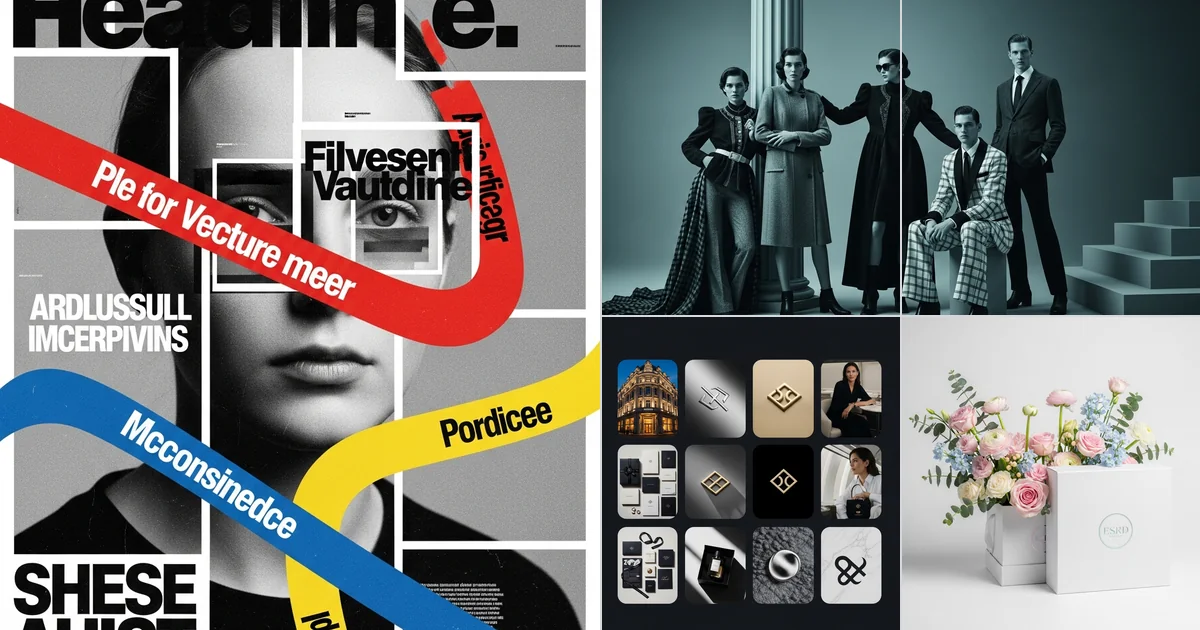
You do not need to hire a UGC creator for every test campaign. The first UGC-style ads, social visuals and campaign hooks can be tested with AI if the prompt is structured properly. Most people give ChatGPT a vague task and get a vague result back. Below are 6 real examples from our AI Prompt Hub project, with prompts and images you can actually study.
What you get here
- 6 real prompts, not theory
- 6 visual examples so you can judge the output immediately
- a simple prompt framework you can paste into ChatGPT and adapt to your brand
Why most people get average results
- They ask for the final image, but they never describe how that image should be built.
- They skip the format, so AI does not know whether it must work as a 9:16 story, a 4:5 ad or a 1:1 feed image.
- They do not define composition, typography, lighting or the actual marketing role of the visual.
- They expect ChatGPT to understand what good UGC, a launch poster or a product hero should look like on its own. Usually it does not.
What a good prompt does differently
- It gives AI a role: editorial designer, creative director, visual strategist.
- It sets a clear goal: launch, campaign hero, packaging mockup, social ad or scroll-stopper.
- It describes composition: how many panels, where the portrait sits, where the product sits, where text can live.
- It defines lighting, texture and feel: soft studio light, halftone grain, cinematic contrast or clean product-photo lighting.
- It leaves much less to chance. That is exactly why the output looks stronger.
A simple framework to feed ChatGPT
6 free prompts worth testing right away
These are not "make something cool" prompts. They include role, goal, layout, typography, lighting and visual logic. That is exactly why the results feel sharper and more useful.
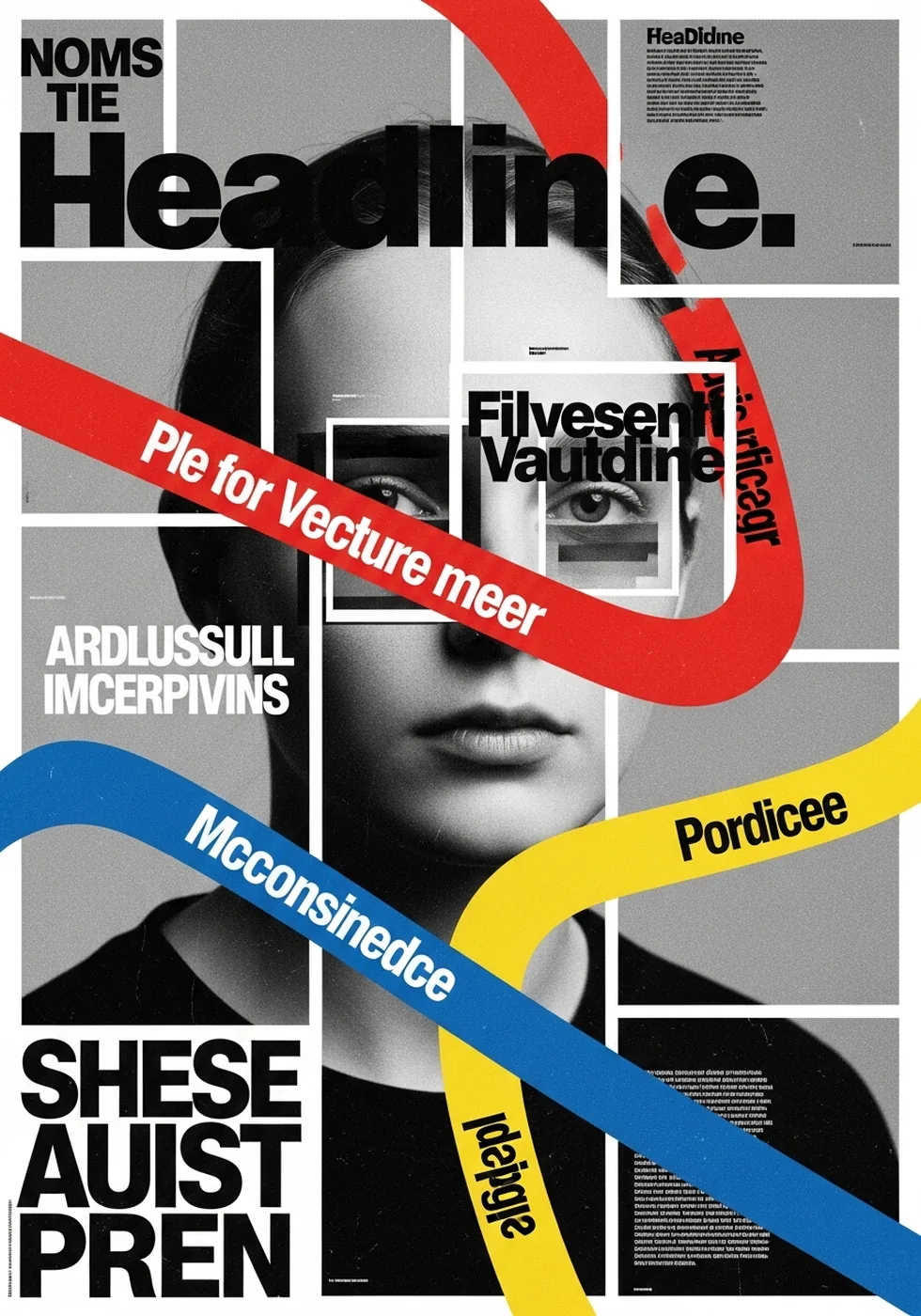
1. Swiss-style launch poster
Why it works: the prompt tells AI to behave like an editorial designer, not just generate a portrait. It defines composition, detail shots, a full-body pose, data blocks, a vertical ribbon and printed-poster texture.
2. Commercial fashion / product ad
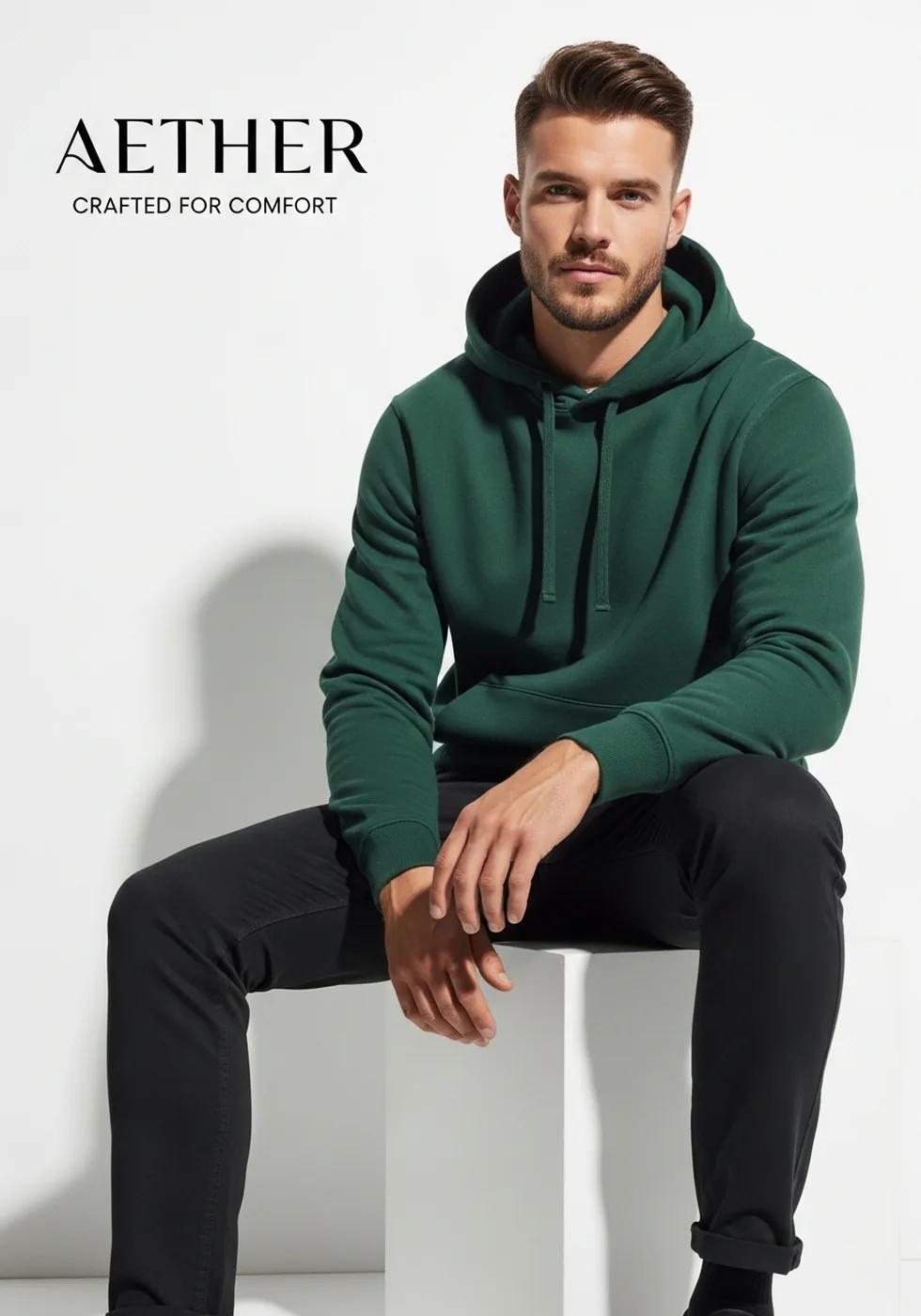
Why it works: it does not just say "create an ad". The prompt defines clothing, pose, pedestal, accessories, color system, interface accents, headline placement and even the shadow logic.
3. Brand identity grid
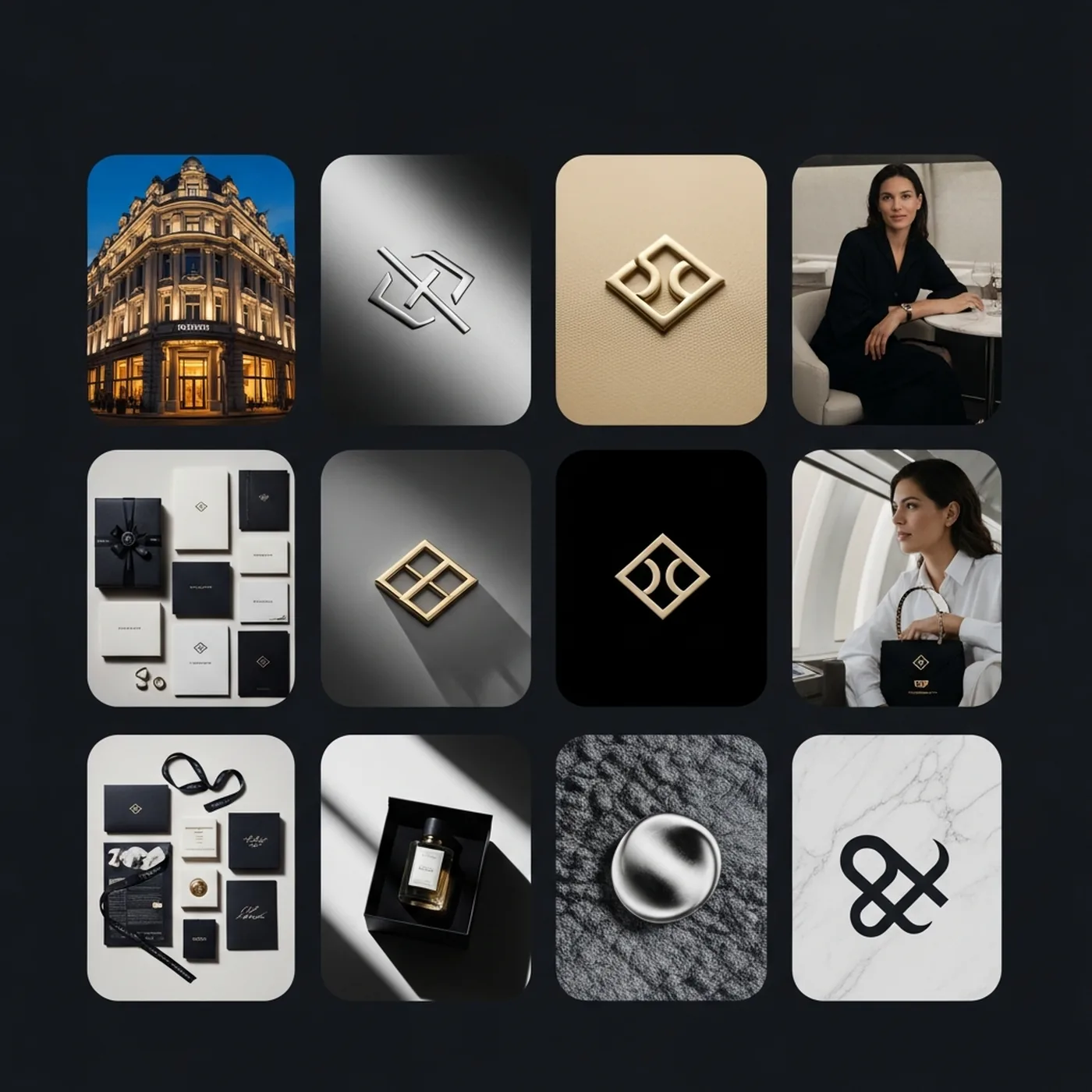
Why it works: this is a strong example of giving AI room to interpret brand logic without leaving it fully unstructured. The prompt specifies which modules must appear: exterior, color swatches, logo close-up, accessory, urban mockup and editorial shot.
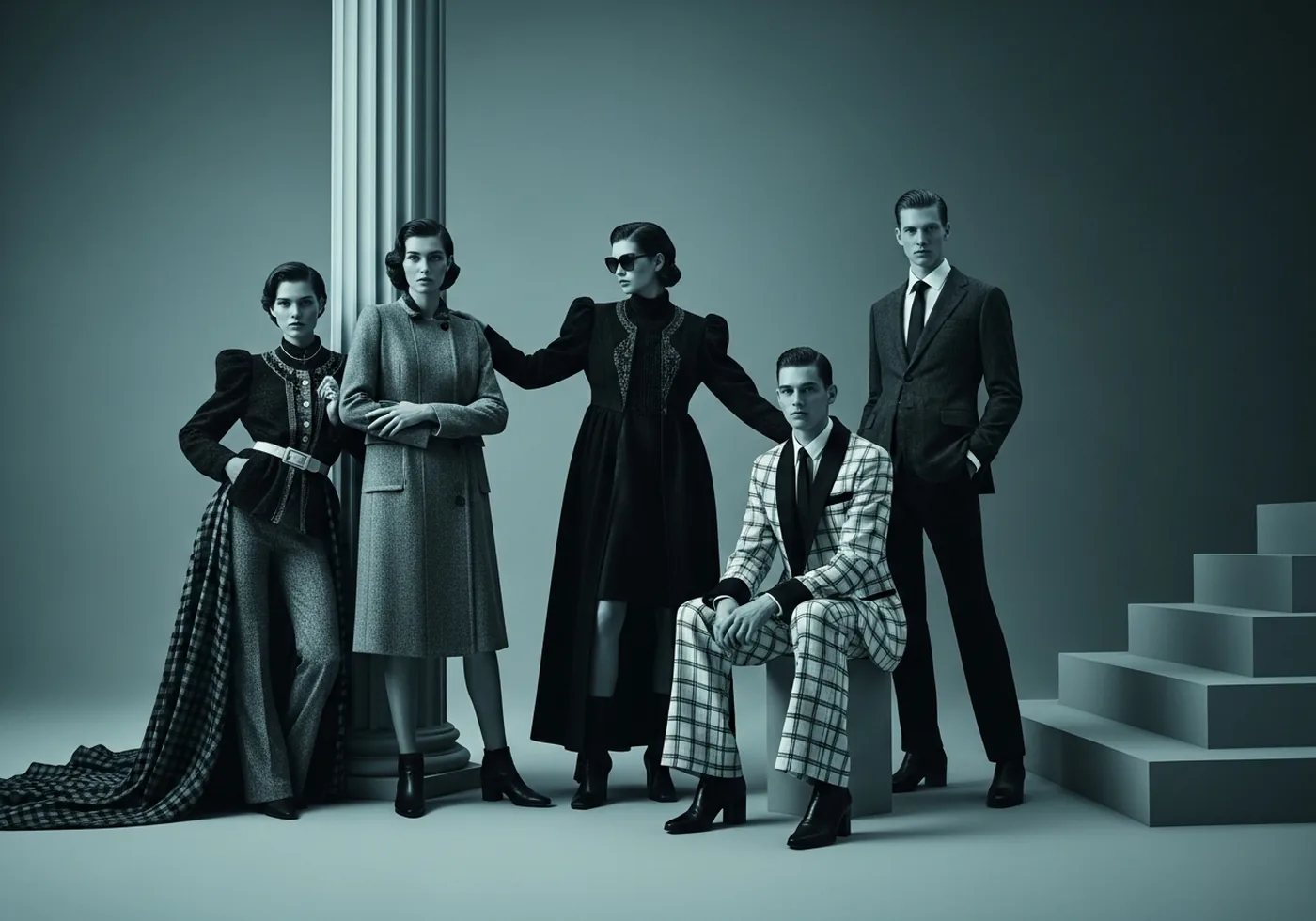
4. High-motion triptych campaign
Why it works: the prompt does not stop at one pretty frame. It builds a three-panel campaign system with portrait, action shot and power pose. It also asks AI to generate slogan logic and a brand-led color system.
5. Logo-cake scroll-stopper
Why it works: this is a classic attention hack. At first glance the image looks like a logo or object, but the bite reveals that it is a cake. That small reveal is exactly why this kind of visual works on social media.
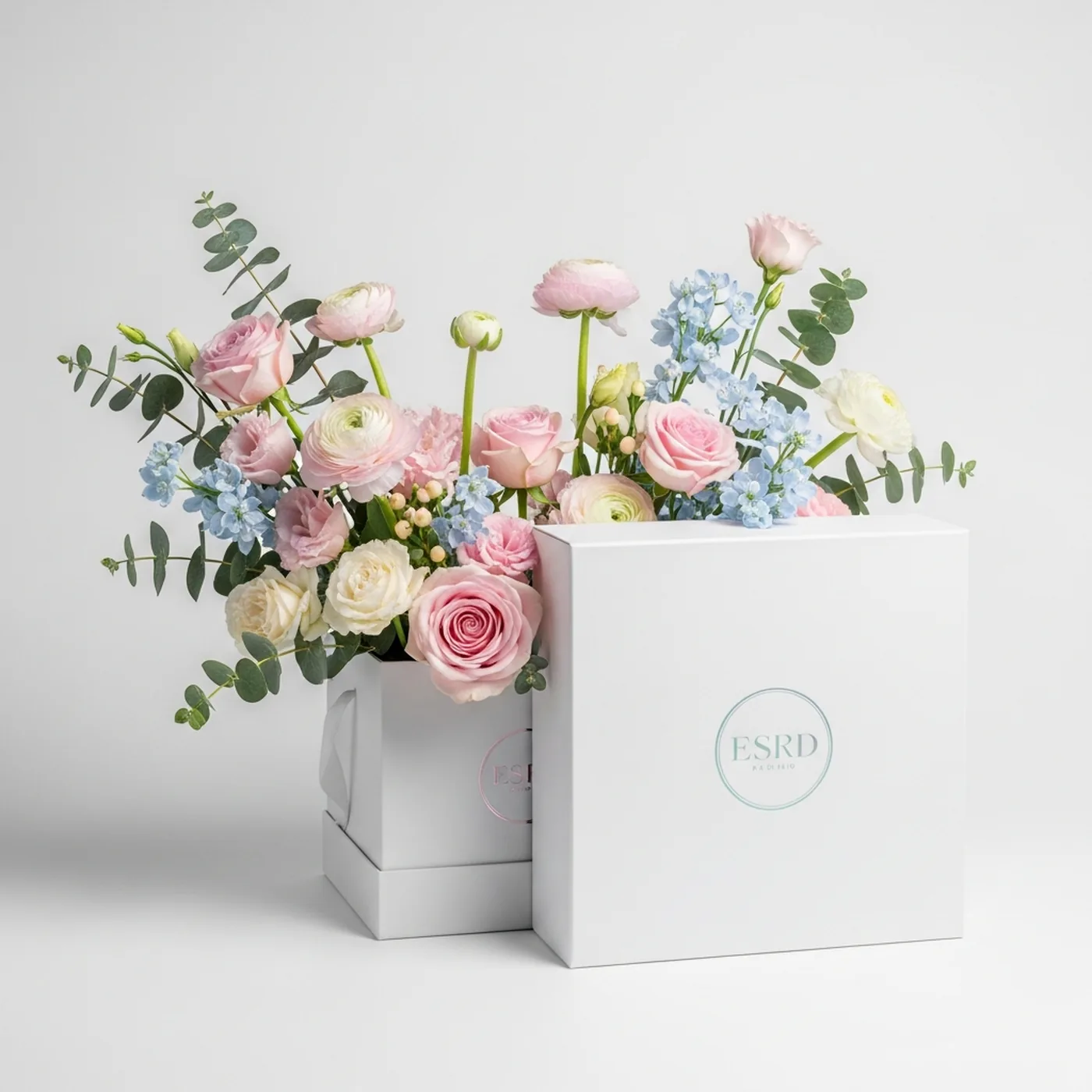
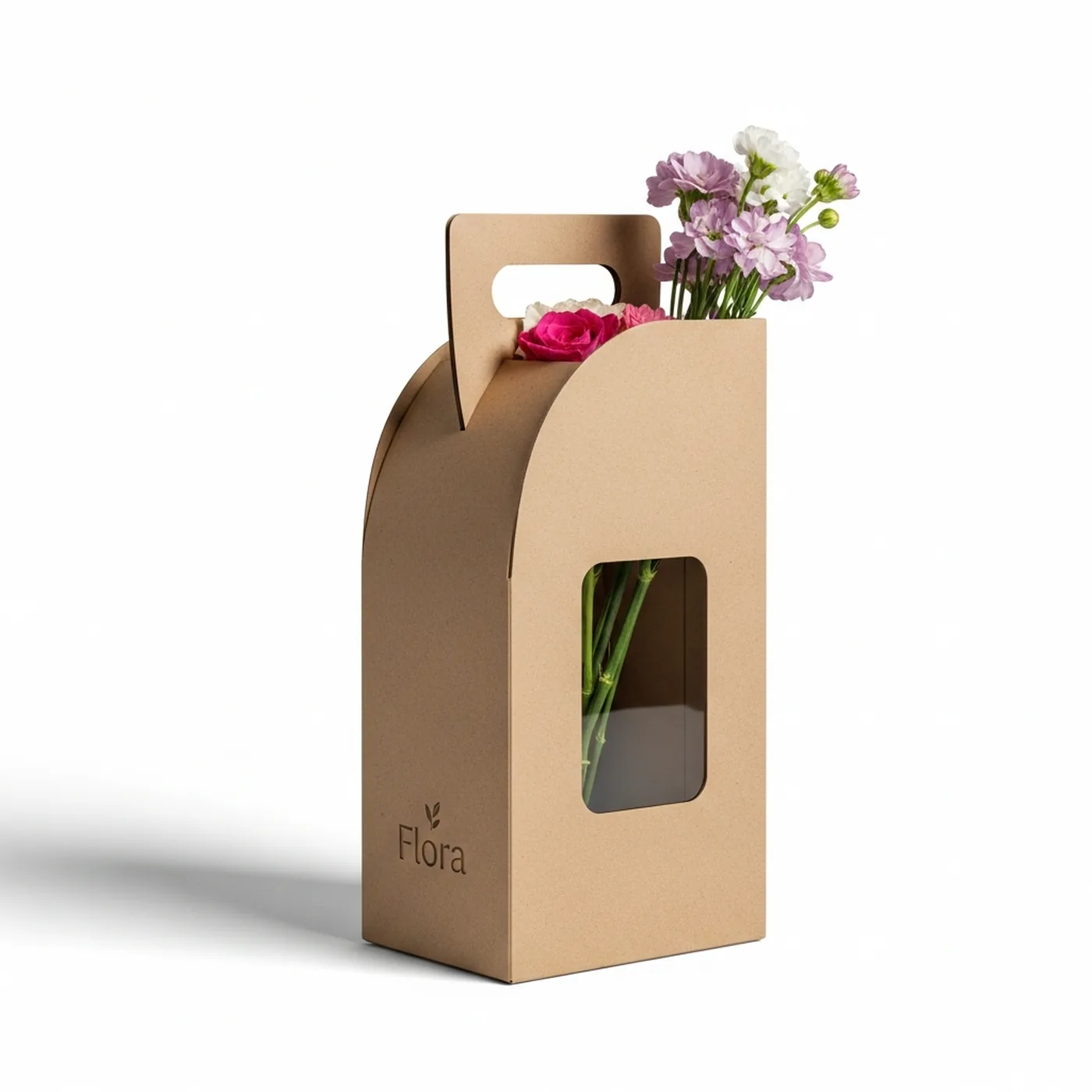
6. Branded packaging mockup
Why it works: the prompt is explicit about form, material, cut-out window, color blocking, hand placement and studio-light behavior. That is the difference between a believable mockup and a random AI illustration.
What these examples actually teach
If you only use ChatGPT for writing captions or blog drafts, you are leaving a lot of value on the table. ChatGPT is very useful for building the prompt skeleton: role, goal, composition, lighting, copy and technical limits.
The same logic applies to UGC-style ads, carousels, teaser frames and product hero visuals. The real question is no longer whether AI can do it. The question is whether you can give AI a precise enough brief.
- Give AI a role, not just an instruction.
- Describe how the visual should be constructed.
- Lock the format before you start, not after.
- If you need a UGC feel, describe emotion, lighting, human role and realism level.
- If you need a selling visual, always define copy, layout and CTA logic.
3 mistakes that ruin the output
- Vague instructions: "make a nice ad image" tells AI almost nothing useful.
- Wrong tool, wrong role: people expect ChatGPT to produce a finished campaign when what they really need first is prompt architecture.
- Format and layout are ignored: 1:1, 4:5 and 9:16 demand very different composition.
How to build your own real prompt library
Start with 3 base prompts: one launch poster, one product or service sales visual and one scroll-stopper. When those work, add packaging, teaser frames or a UGC-style look.
Do not write every campaign prompt from zero. Save the base version, duplicate it and only change one variable at a time: headline, color, format, lighting or product.
- Keep separate base prompts and campaign-specific versions.
- Add notes about which prompt worked in feed, ad creative or landing-page hero.
- Tie prompts to brand colors and message, not only to a pretty style.
- If one result works, test the same prompt across formats before starting over.
FAQ: AI prompts for marketing and social media
Does ChatGPT create these images on its own?
Usually not. ChatGPT is excellent for structuring and refining the prompt. The final image is typically generated with a separate image model.
Does a prompt always need to be long?
Not always. But it does need to be specific. If the goal is complex, one vague sentence is rarely enough.
Can these prompts also be used for UGC-style content?
Yes. The same logic applies to UGC: define the person, setting, emotion, lighting, product and format clearly.
Should prompts be written in English?
For image models, English often performs better, especially when the prompt is detailed. That is why the article is in English and the prompts stay in English too.
Want a prompt library built specifically for your brand?
We can structure the prompts that fit your brand: campaigns, social media visuals, product images and launch materials. That way you do not start from zero every time or test ten random variations.
We can also add visual direction, example outputs and channel-specific variations.
Request a prompt library →
Stiven
Web developer / technical lead
Graduated in web development and has 10+ years of experience with servers, web development and infrastructure. Focused on performance, security, SEO and automation.
Learn more about the SIA DESIGN team →

