AI Product Images for Ecommerce 2026: 9 Prompts
AI product images for ecommerce should not start with "make a nice picture". Here are 9 prompts and sample visuals for hero shots, story ads, and launch assets.
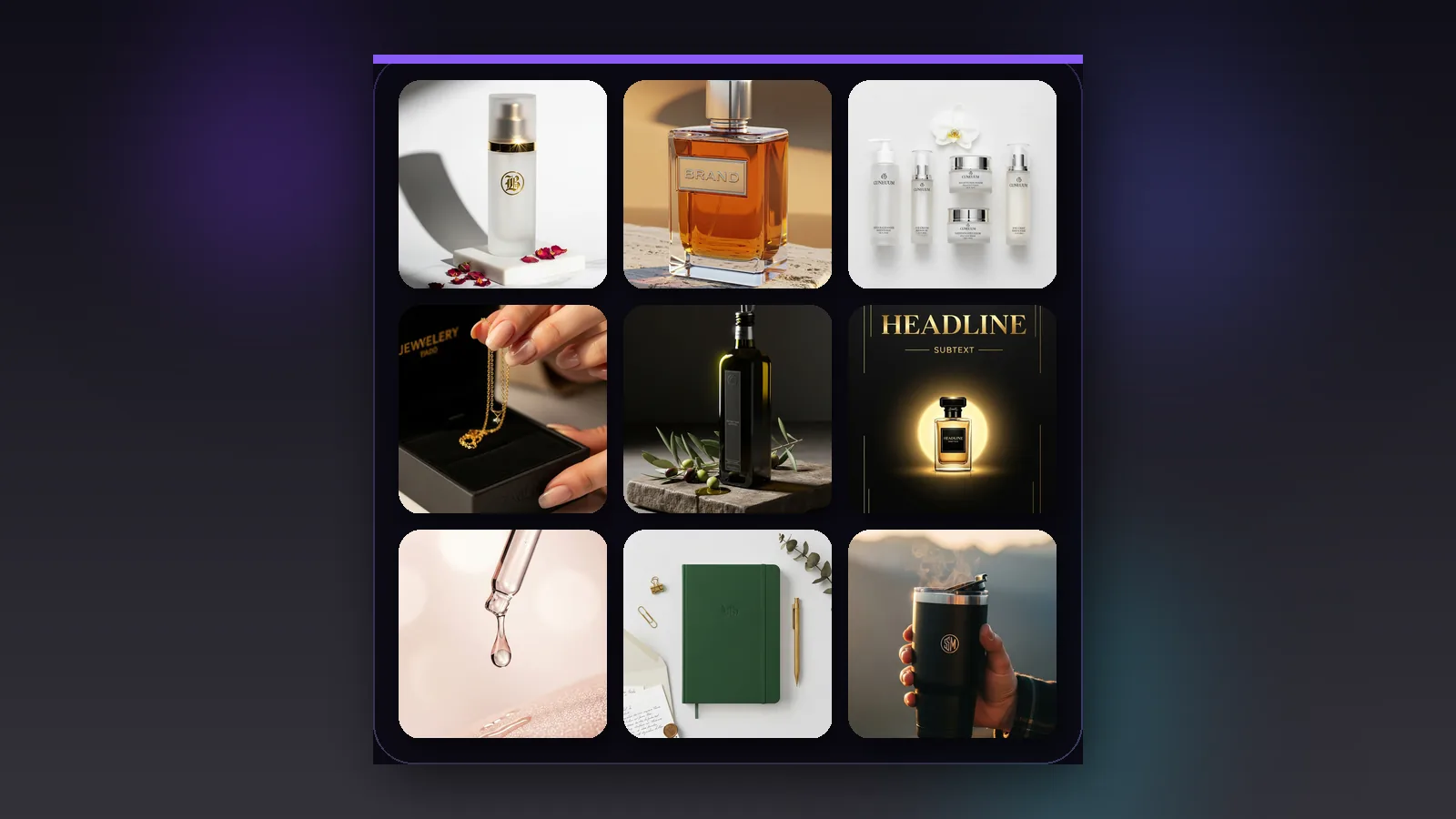
If you are looking for AI product images for ecommerce, Meta ads, or 9:16 story placements, do not start with a prompt like "make one nice image". A Shopify or WooCommerce product-page hero needs a different shot than a story ad. Strong AI product visuals happen when the prompt defines the channel, framing, materials, and lighting logic. Below are 9 real examples from our AI Prompt Hub project, paired with copy-ready prompts and sample visuals.
What you get here
- 9 real prompts for ecommerce product photos, story ads, and launch visuals
- 9 sample images from AI Prompt Hub so you can immediately see what kind of result each prompt guides
- one simple prompt framework you can adapt to your own brand and product category
- practical boundaries: when AI product images help and when real photography or QA still needs to step in
When AI product images actually work
- When you need to quickly test which hero shot, flat lay, or story concept attracts more attention.
- When you want to lock the art direction before a real shoot: lighting, surface, props, palette, and crop.
- When you need seasonal campaign visuals, bundle images, or collection banners that are not worth photographing from scratch every time.
- When you want a consistent visual system where the product page, ad creative, and social media assets speak the same language.
But one limit should be clear right away. If a product detail must be exact, AI should not be the only source of truth. That is especially true for shape, color, packaging details, dimensions, and claims. Your ecommerce image standard still needs a real foundation. If that part is not set yet, read Ecommerce Product Images 2026.
Why most results still look like stock
- They do not define where the image will be used: product page, collection banner, Meta ad, or story format.
- They skip camera angle and crop, so the model decides on its own whether to create a front shot, overhead frame, 3/4 hero, or close detail.
- They do not lock real product constraints: logo position, color family, packaging shape, material, and proportions are left open to interpretation.
- They try to solve packshot, lifestyle, ad creative, and poster design with one prompt. Usually that fails.
Simple prompt framework for ecommerce product images
9 prompts worth testing right away
These are not vague "make something premium" instructions. Each prompt is tied to a clear use case: a product-page hero shot, bundle flat lay, unboxing moment, story ad, artisan food visual, stationery flat lay, or lifestyle handheld scene. That concrete use case is what makes the result stronger.
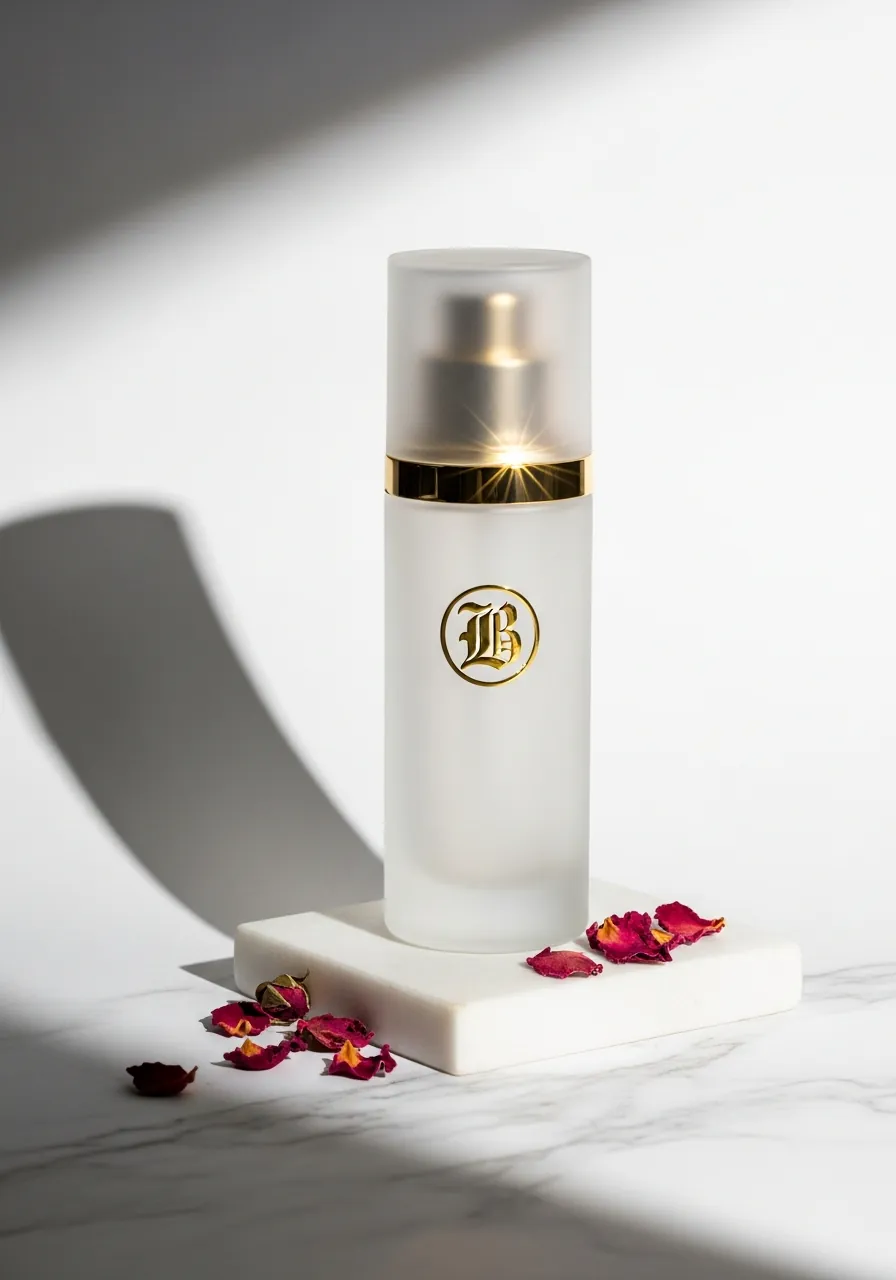
1. Skincare serum hero shot for a product page
Best for: main product image, collection ad, landing-page hero
Why it works: the prompt does not stop at one bottle. It defines the bottle material, logo finish, surface, shadow direction, and even the scattered petals. That creates a premium product-photo feeling without stealing attention from the product itself.
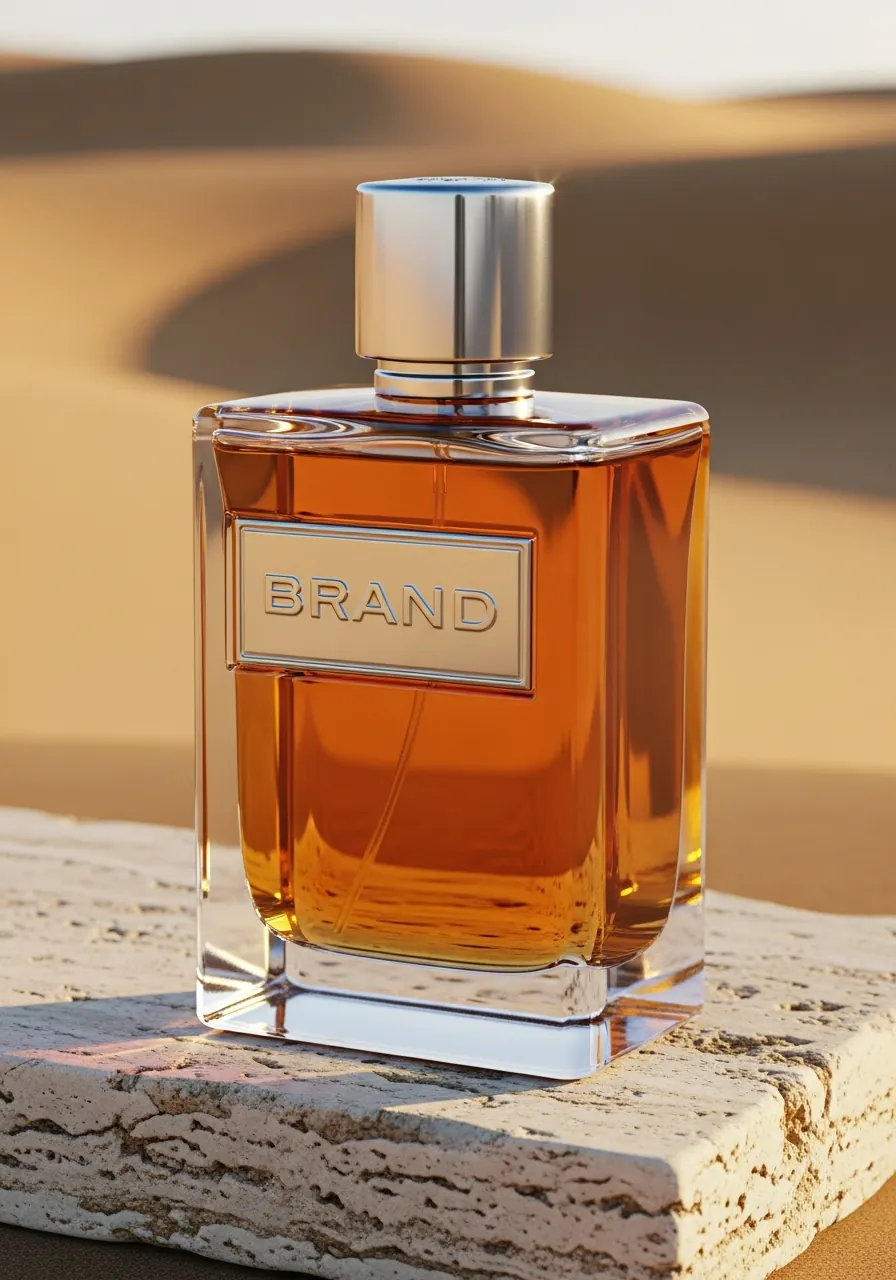
2. Perfume hero shot on stone
Best for: premium products, fragrance, launch landing page, Meta ad
Why it works: this prompt defines the environment as much as the bottle. Travertine, warm backlight, and a soft neutral background create an instant campaign feel. It is a better starting point than a generic product-on-white shot when you want the image to feel larger than the object itself.
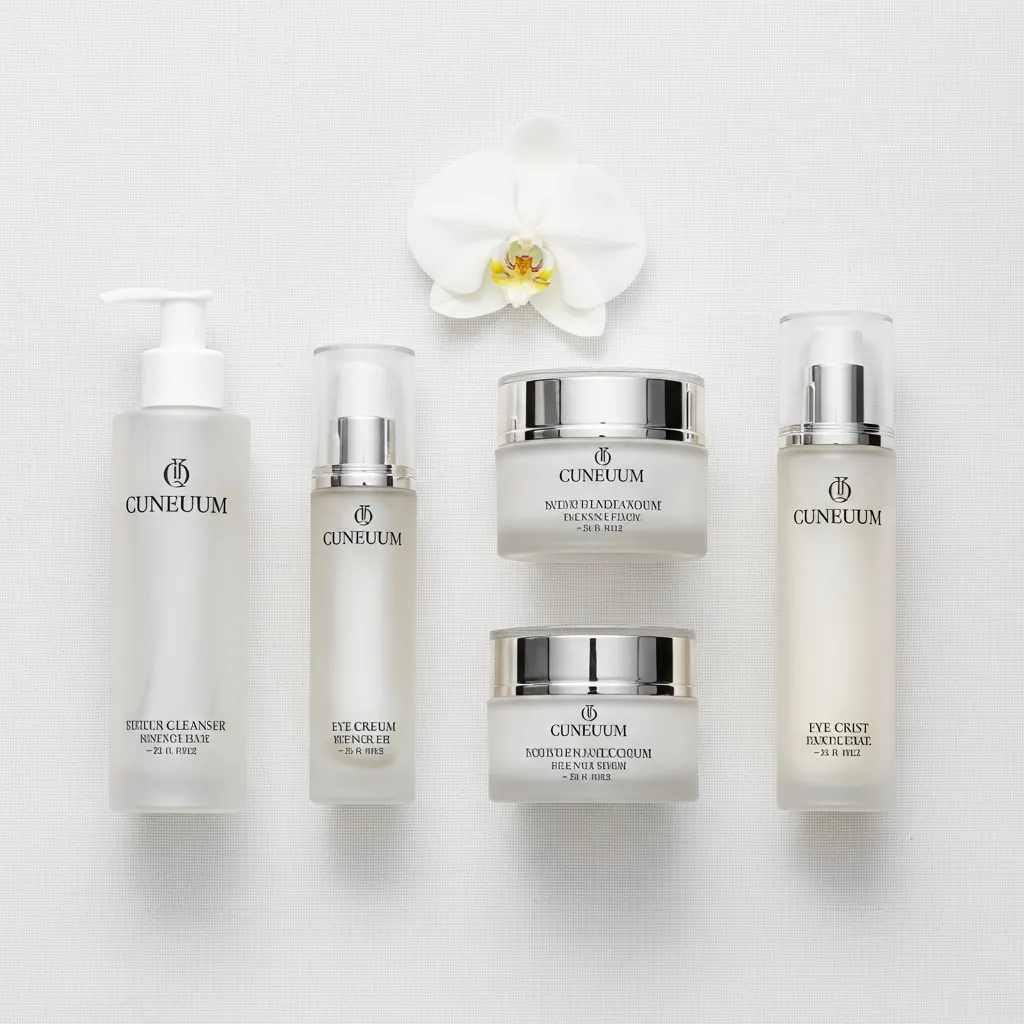
3. Bundle or product-line flat lay
Best for: bundles, gift sets, category pages, email hero
Why it works: many ecommerce stores need more than a single packshot. This prompt keeps the arrangement symmetrical, clean, and catalog-friendly. That lets you show an entire line in one visual instead of only one SKU.
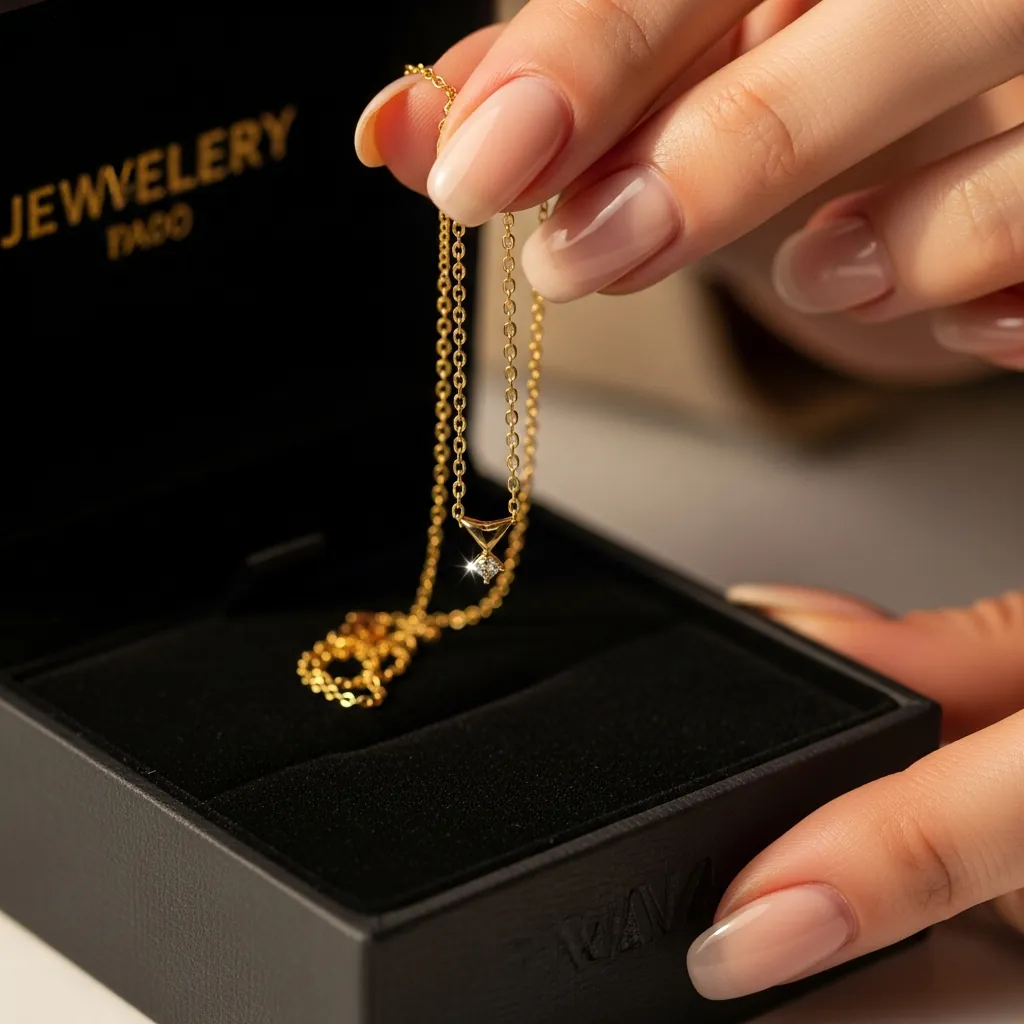
4. Jewelry unboxing close-up
Best for: UGC-style content, gifting campaigns, remarketing, reels cover
Why it works: the prompt adds a hand, a box, and a detail moment. That instantly makes the visual feel more believable than an anonymous packshot. It is especially effective for higher-ticket products where the unboxing moment is part of the value proposition.
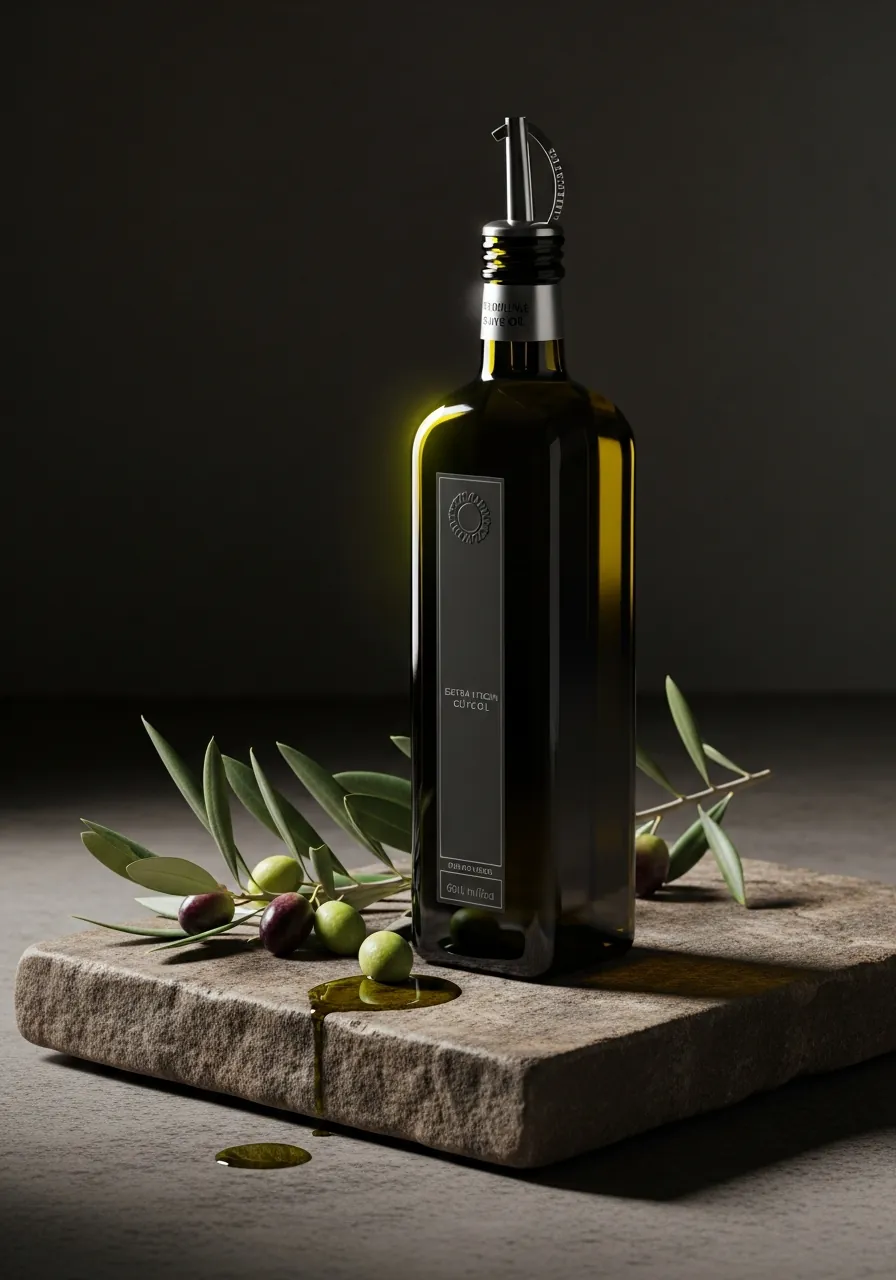
5. Artisan food or gourmet product hero shot
Best for: food brands, DTC packaging, landing pages, catalog highlights
Why it works: with artisan products, the surface and the light do half the work. Stone, olive branches, and low side light make the result feel like real product photography, not a generic generated illustration.
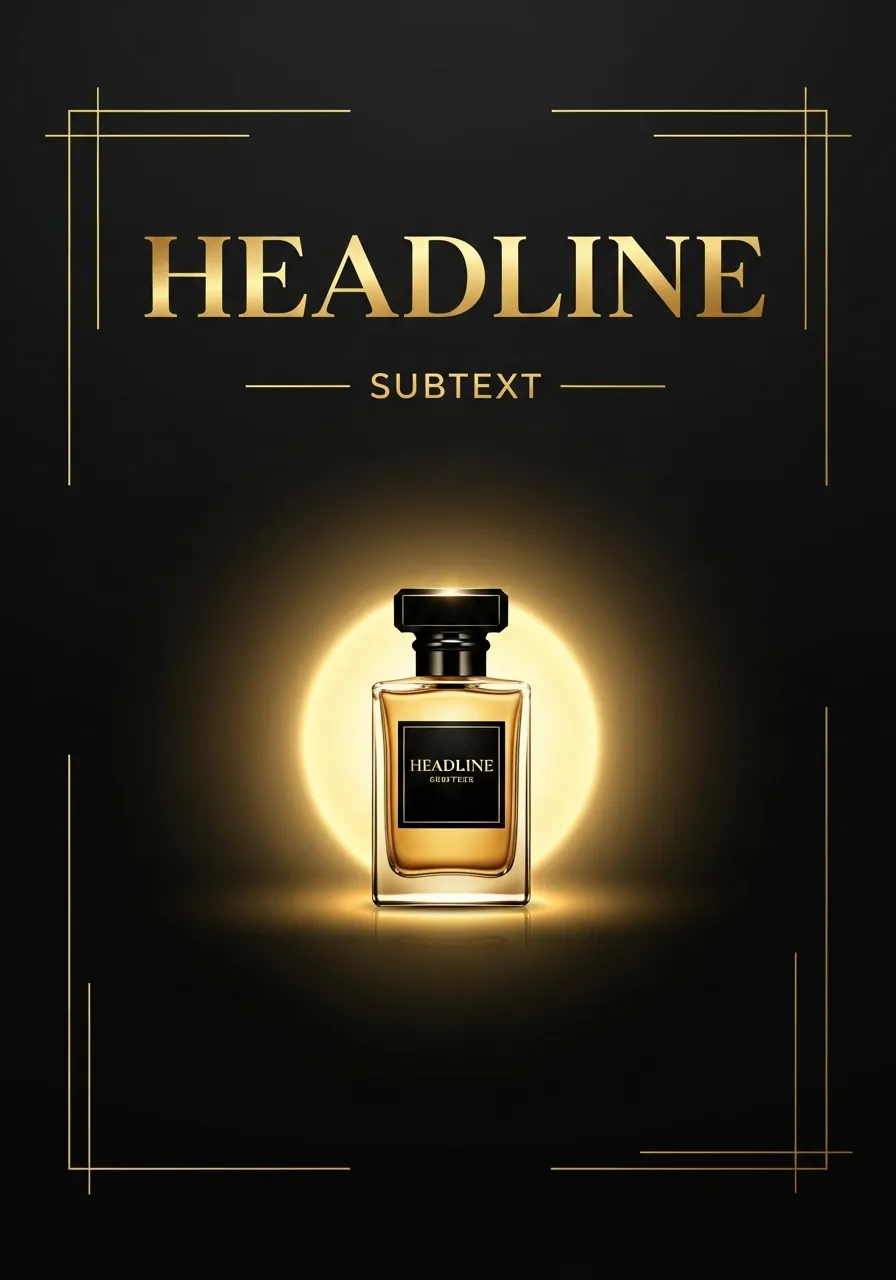
6. Launch poster for a new product
Best for: launch campaign, teaser landing page, event poster, email banner
Why it works: this prompt does not create only a product image. It also leaves intentional room for copy and launch framing. That makes it a stronger starting point than a plain product shot when you need a headline, campaign message, and premium layout around the object.
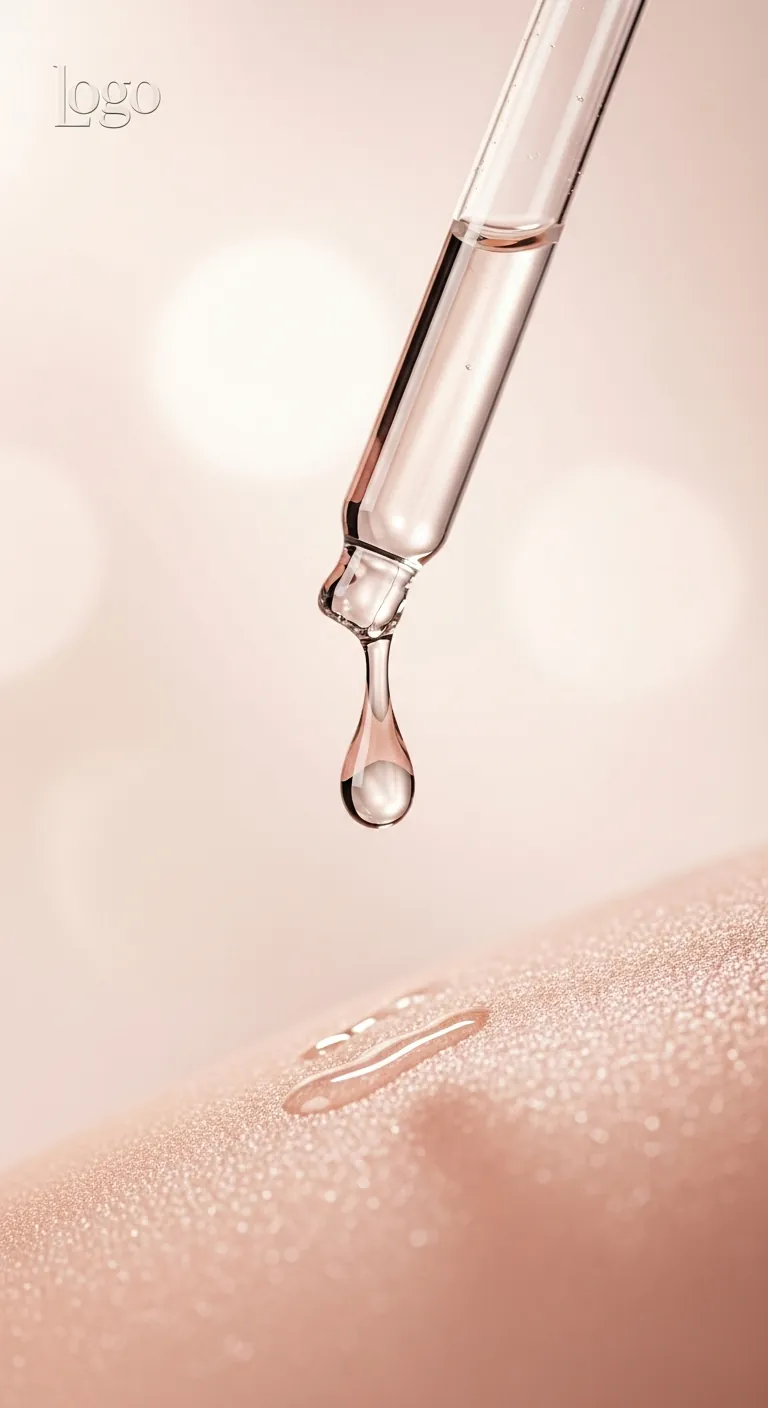
7. 9:16 story ad for a beauty brand
Best for: Instagram Stories, reels cover, vertical ads, beauty funnels
Why it works: a story ad must think vertically from the start. This prompt already includes the 9:16 format, close detail framing, and a soft gradient background. It also leaves room for a logo and CTA. That is a meaningful difference from a square product image.
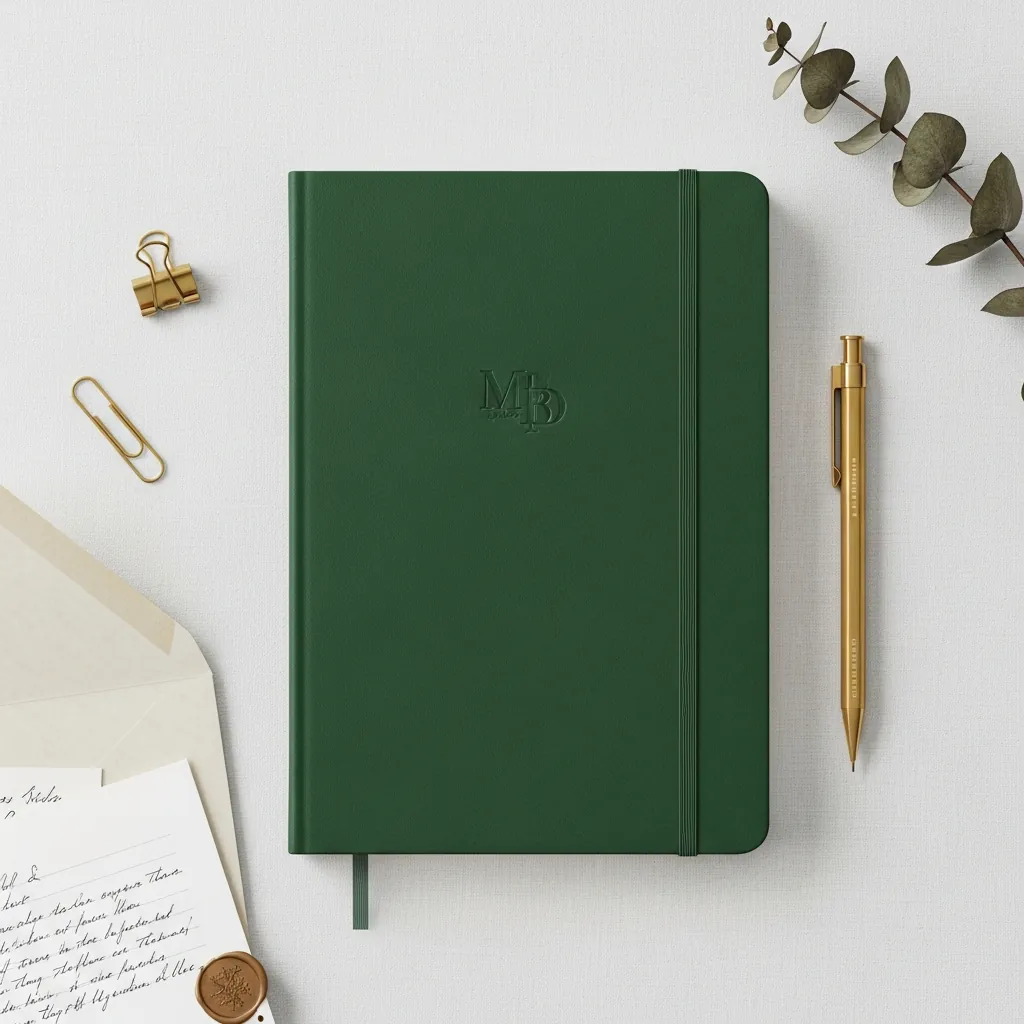
8. Premium stationery or gift-brand flat lay
Best for: stationery, gift boxes, paper goods, B2B gifting
Why it works: with stationery and gift products, order sells. This prompt defines the hero item, support props, palette, and surface. The result works on a product page and in ads because the important elements remain easy to read.
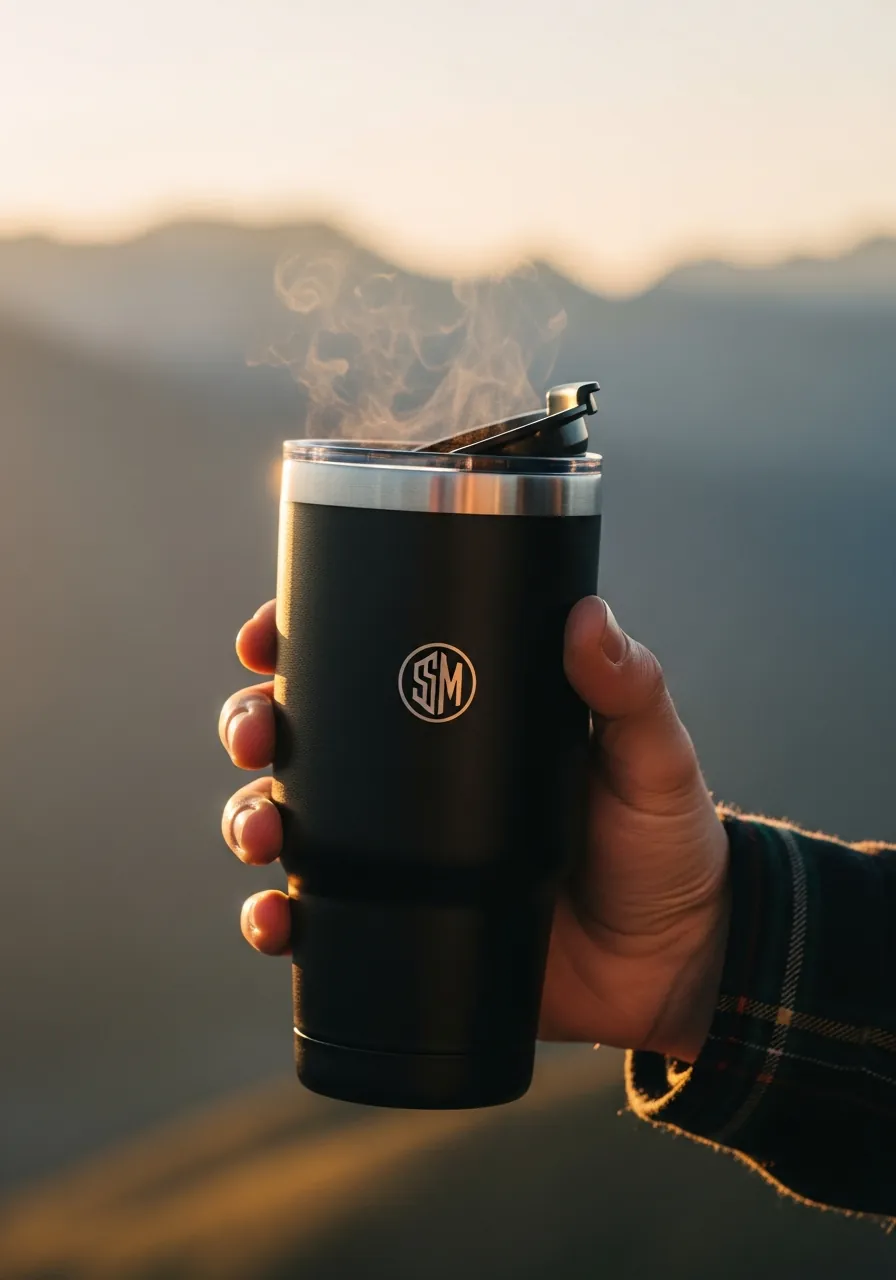
9. Lifestyle handheld shot for outdoor or wellness products
Best for: lifestyle products, outdoor brands, wellness, campaign hero
Why it works: the hand, steam, and golden-hour light make this feel like a real moment of use, not only a render. That is why a handheld lifestyle prompt is the right direction when you want the product to feel lived in.
What these prompts actually teach
If you want AI product images that actually help sell, think of prompts as a system, not a bag of tricks. A product-page hero shot, bundle flat lay, story ad, and launch poster are four different jobs. Each one has its own composition, crop, and channel logic.
This also matters for SEO and LLM discoverability. When your content clearly names concepts like "AI product images", "ecommerce product photos", "story ad", "flat lay", and "launch poster", search engines and answer systems understand what the page is actually about.
- Always define the channel: product page, Meta ad, email hero, or 9:16 story.
- Give AI the camera angle, surface, and light, not just a mood.
- Add truth guardrails right away: logo, shape, color family, and materials.
- Keep separate prompts for packshot, lifestyle, unboxing, and poster design.
- If the visual needs copy, leave intentional text space or negative space in the prompt.
4 mistakes that break AI product images
- The product becomes too fictional: packaging changes, the logo moves, colors shift, and the image no longer matches the real SKU.
- The channel is not defined: one prompt tries to handle both a 1:1 product-page image and a 9:16 story ad.
- Props steal attention: props should support the product, not compete with it.
- QA is skipped: before publishing, check claims, color, crops, logo readability, and whether the image supports real product information.
How to build a real prompt library for ecommerce
Start with 5 base prompts instead of creating a new file from zero for every campaign. Once those base versions exist, AI becomes a real production tool instead of random experimentation.
- one hero shot for the main product-page image
- one flat lay for bundles or gift sets
- one lifestyle handheld or unboxing prompt for ads
- one 9:16 story prompt for vertical campaigns
- one launch poster for a new product or collection
Then name prompts by use case, not only by style. For example hero-pdp-v1, bundle-flatlay-v1, and story-ad-v1.
That makes it much easier to see which prompt worked on the product page and which one performed better in ads.
If you also want stronger product-page structure behind the visuals, read
Product Page Structure 2026.
FAQ: AI product images and prompts for ecommerce
Can AI product images be used as the main ecommerce image?
Yes, if the result still matches the real product. For expensive, technical, or tightly regulated products, keep at least part of the image set as real photography and use AI more for campaign visuals or supporting assets.
Can these images be used in Meta and Google ads?
Usually yes, but make sure the visual does not imply something the product cannot actually deliver. Be especially careful with cosmetics, health products, and technical categories.
Is one prompt enough for a full product catalog?
No. It is much better to keep 4–6 base prompts for different jobs: hero, flat lay, lifestyle, story, and launch. That gives you faster and more consistent results.
Should prompts be written in English?
For image models, English usually performs better, especially when the prompt gets detailed. That is why the article can be localized, but the prompt itself often works best in English.
Will AI replace product photography?
Not fully. AI is strong for ideation, rapid variations, and campaign mockups. Real product truth, detail control, and top-tier brand photography still need a human eye.
Want us to build a prompt library and image standard for your ecommerce store?
We can define the prompts that fit your products: hero shots, bundle visuals, story ads, launch posters, and lifestyle variations. That gives you a faster way to test which visuals actually sell.
If needed, we can connect the whole system to product-page structure, ad channels, and your brand direction.
Request a prompt library →
Stiven
Web developer / technical lead
Graduated in web development and has 10+ years of experience with servers, web development and infrastructure. Focused on performance, security, SEO and automation.
Learn more about the SIA DESIGN team →